LIVESave the World, live from Salt Lake City during KubeCon · Wed Nov 11, 11:00 MT →
darkshift
// how it works

One Change, from a sentence to production.

Here is everything that happens between you asking for something and it running in production, and every point where Infrared stops to ask you.

This is the default AgentWorkflow every org starts with. Your org can edit it: add steps, change the AgentRoles, set budgets. The human gates stay where you put them.

one change, seven stops⤢ fullscreen
// the flow

Seven stops. Three of them are yours.

  1. 01You askOne sentence on a Product's Changes tab, or an issue in your repo.you
  2. 02The architect plans itIt reads your code and turns the ask into an issue with a plan and success criteria.agents
  3. 03You triageBuild it, or hand it to a person. Nothing is built until you say so.you
  4. 04Agents build and reviewThe builder writes it; QA, security and quality reviewers check it and send it back if it isn't right.agents
  5. 05You approve the mergeFrom each step's verdict and evidence, not from a diff alone.you
  6. 06Infrared deploys itZone by zone through gitops, each zone watched by a release guard that rolls back a failure.agents
  7. 07You approve productionProduction waits for a person. Then the Change is Done, with a video of what happened.you
// step by step

Follow one Change.

01 · you ask

Ask in a sentence.

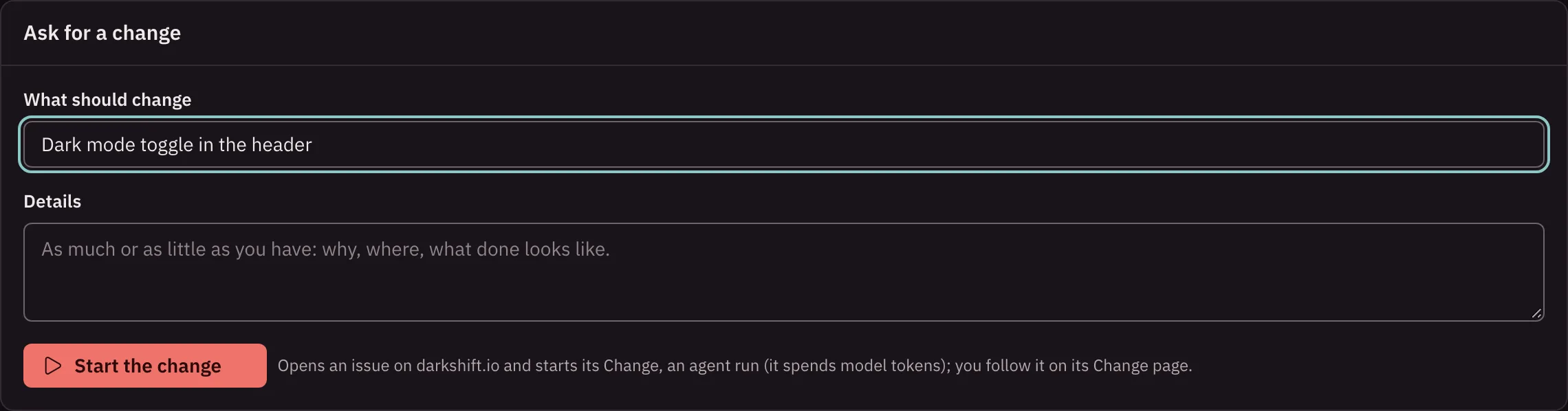
On a Product's Changes tab, choose Ask for a change and say what should change, in your own words. Infrared opens an issue in the Product's repo. You can also start from any issue a person opened, or a label on one.

  • No form to fill in, no ticket template
  • Shown with what it will likely cost in tokens
infrared.darkshift.io
The Ask for a change form on a Product's Changes tab
02 · the architect plans it

A plan you can read.

The architect reads your code and the issue and rewrites the issue as a plan: what to change, where, how to prove it works, and the success criteria the Change will be judged on. Comments you add to the issue steer every agent after it.

  • Grounded in your code, cited to it
  • Success criteria up front
infrared.darkshift.io
A Change's journey strip, from the issue through planning, build and review to deployment
03 · you triage

Nothing is built until you say so.

The planned request waits for you on Changes. Read the plan and choose Build it, or Hand to a person if it should be done by hand. The rail's count tells you it's there.

  • Build it, or hand it to a person
  • Waits for you, counted on the rail
infrared.darkshift.io
A Change waiting for a person, with the banner that says what it waits for and the button to act
04 · agents build and review

A crew, not a single agent.

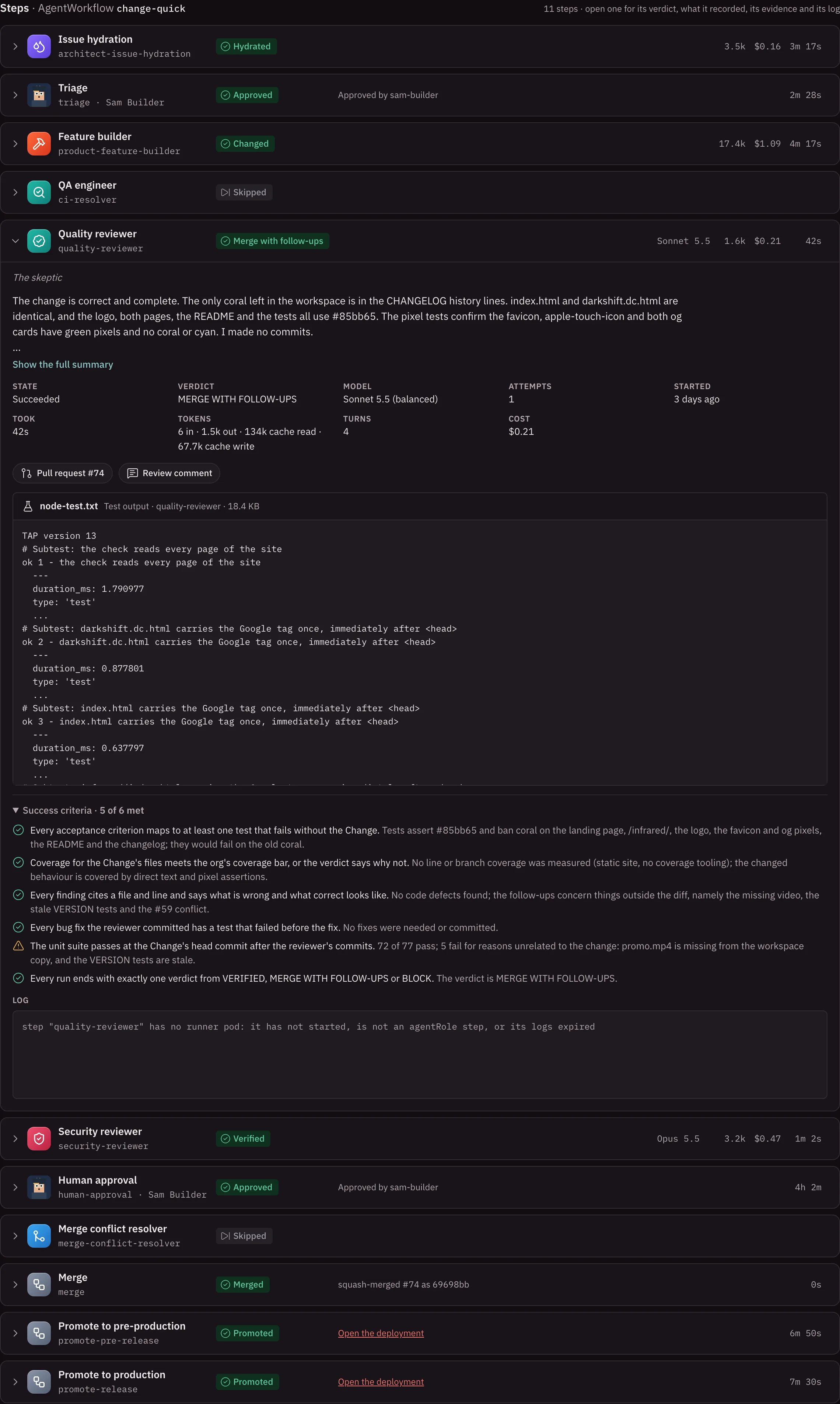
The builder writes the Change on a branch. The QA engineer runs and fixes the tests with it. Quality, security and other reviewers read the result and pass it, send it back to the builder, or block it, each with their reasons. CI has to be green.

  • Reviewers can send work back a set number of times
  • An agent that's unsure asks you, with suggested answers
  • Every step records its verdict, evidence, log and cost
infrared.darkshift.io
A Change's steps, each with its verdict card, what it recorded and its evidence
05 · you approve the merge

Approve from evidence.

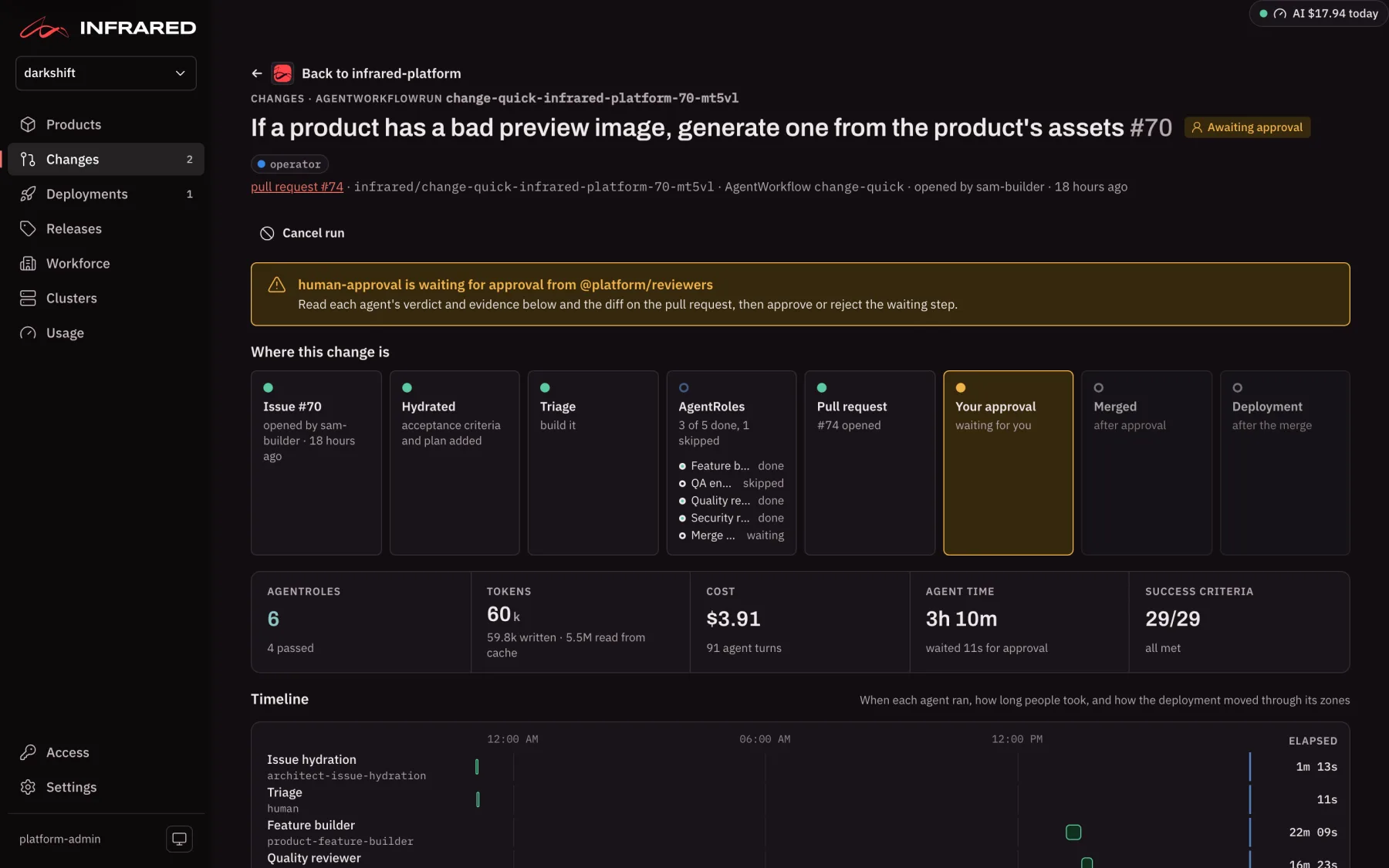
When the reviews pass, the Change waits for your approval. You see the run's figures, each step's verdict and proof, and the success criteria met. Approve, and Infrared merges it. Reject, and nothing lands.

  • Verdicts in plain words
  • Cost, tokens and agent time for the whole run
infrared.darkshift.io
A Change's page with the run's figures and its steps
06 · infrared deploys it

Zone by zone, behind a guard.

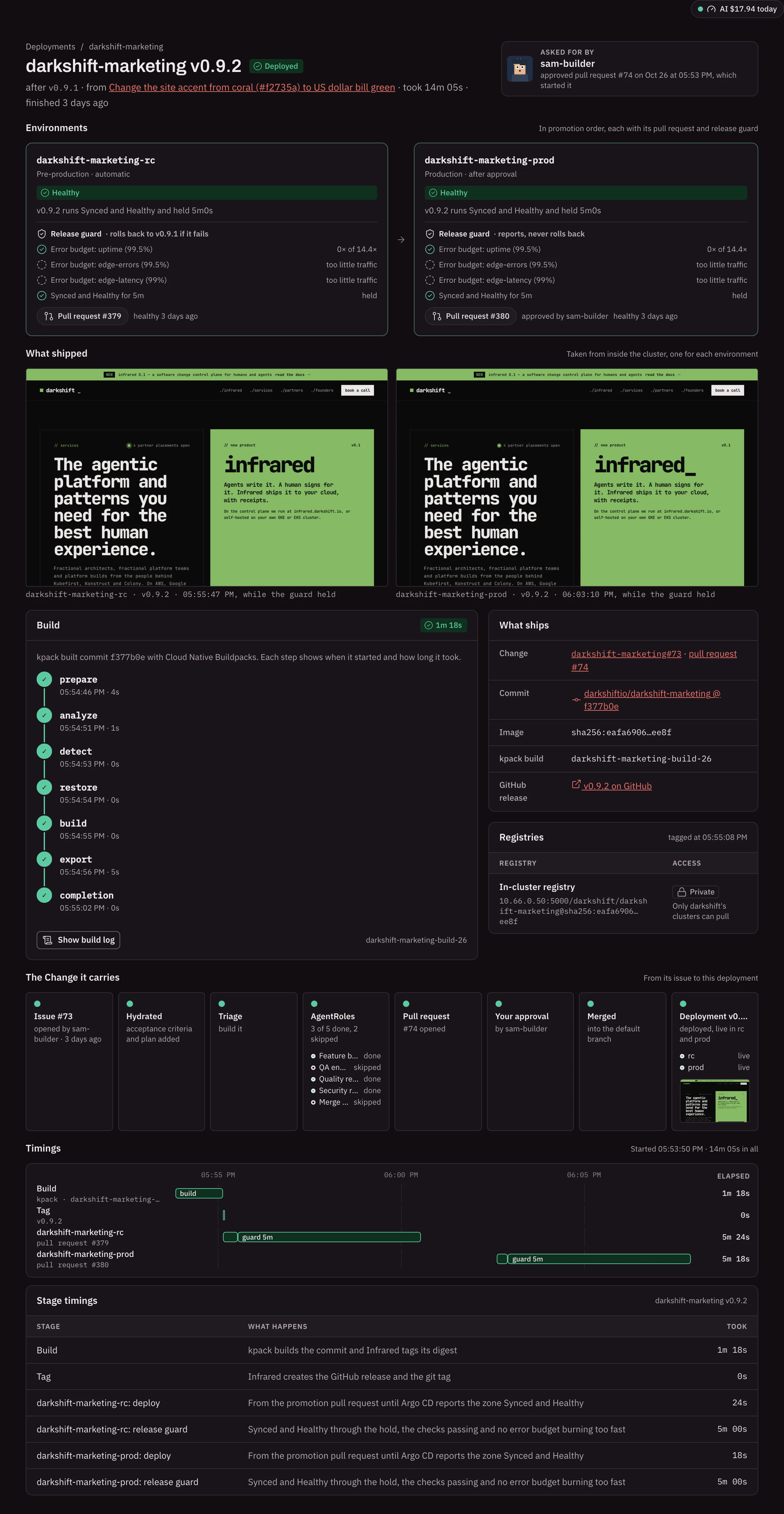
The merge starts a deployment. Infrared builds the image, then promotes it through each environment with a gitops pull request. A release guard watches each zone and rolls a failure back by itself. Go now ends a hold early, and records who pressed it.

  • Every push to the default branch deploys
  • Pushes close together ship as one
  • Automatic rollback of a failing zone
infrared.darkshift.io
A deployment's page: its environments, release guard and timings
07 · you approve production

Production waits for a person.

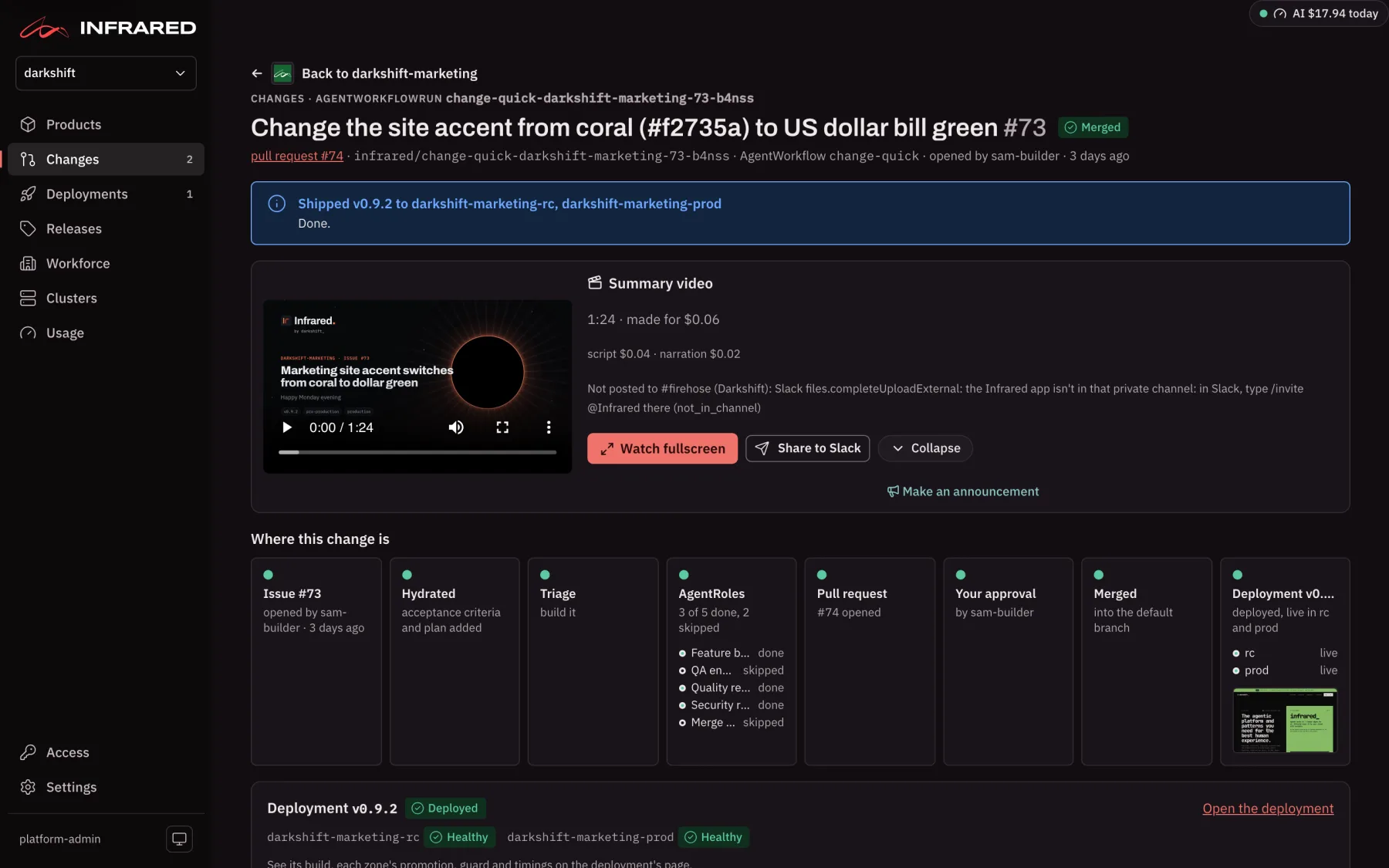
When pre-release is healthy, the deployment waits for Approve: promote. Then the Change is Done, and Infrared makes a short narrated video of what happened, for the Change's page and Slack.

  • Approve from the deployment's page or with ir
  • A summary video when it's done
a change's summary video⤢ fullscreen
// after it ships

Then you tell people about it.

Once enough has reached production, Infrared nudges you to cut a release. It drafts notes for engineers and a post for everyone else from your commits, tags the commit and the image, and publishes the GitHub release. Every Monday it tells the whole org's week in a video.

See it on your own code.

The fastest way to understand Infrared is to watch it take one of your own issues to production. We'll do the first one with you.